“And the Word was made flesh, and dwelt among us, (and we beheld his glory, the glory as of the only begotten of the Father,) full of grace and truth.” John 1:14, KJV
“For the law was given by Moses, but grace and truth came by Jesus Christ.” John 1:17, KJV
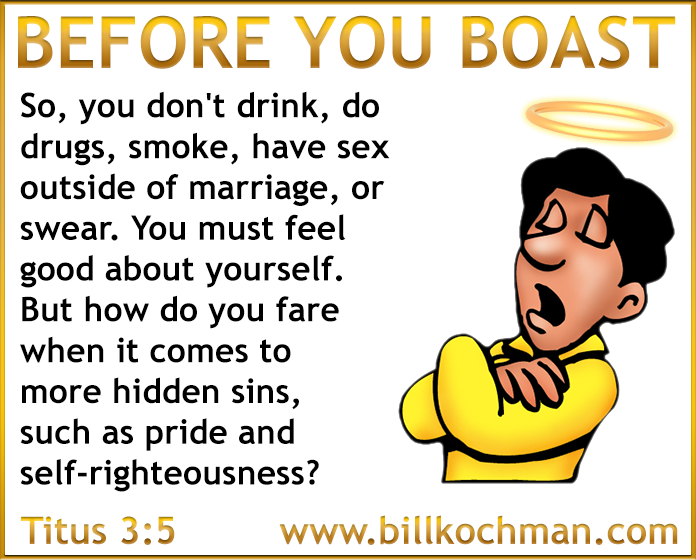
“For by grace are ye saved through faith; and that not of yourselves: it is the GIFT OF GOD: Not of works, lest any man should boast.” Ephesians 2:8-9, KJV
“But none of these things move me, neither count I my life dear unto myself, so that I might finish my course with joy, and the ministry, which I have received of the Lord Jesus, to testify the gospel of the grace of God.” Acts 20:24, KJV
“But not as the offence, so also is the free gift. For if through the offence of one many be dead, much more the grace of God, and the gift by grace, which is by one man, Jesus Christ, hath abounded unto many.” Romans 5:15, KJV
“I thank my God always on your behalf, for the grace of God which is given you by Jesus Christ;” 1 Corinthians 1:4. KJV
“I do not frustrate the grace of God: for if righteousness come by the law, then Christ is dead in vain.” Galatians 2:21, KJV
“We give thanks to God and the Father of our Lord Jesus Christ, praying always for you, Since we heard of your faith in Christ Jesus, and of the love which ye have to all the saints, For the hope which is laid up for you in heaven, whereof ye heard before in the word of the truth of the gospel; Which is come unto you, as it is in all the world; and bringeth forth fruit, as it doth also in you, since the day ye heard of it, and knew the grace of God in truth:” Colossians 1:3-6, KJV
“For the grace of God that bringeth salvation hath appeared to all men,” Titus 2:11, KJV
“But we see Jesus, who was made a little lower than the angels for the suffering of death, crowned with glory and honour; that he by the grace of God should taste death for every man.” Hebrews 2:9, KJV
I was inspired to write this short commentary after discovering that some of my friends didn’t quite understand how a town or city which is located many miles from a coastal area, and which is hundreds or even thousands of feet in elevation, could be so seriously affected by a hurricane coming off of the ocean, such as in the case of Asheville, North Carolina, USA for example.
I think this confusion results from not fully understanding exactly what a storm surge is, which is quite understandable if a person has never been through a hurricane, and if they don’t happen to live in a coastal area.
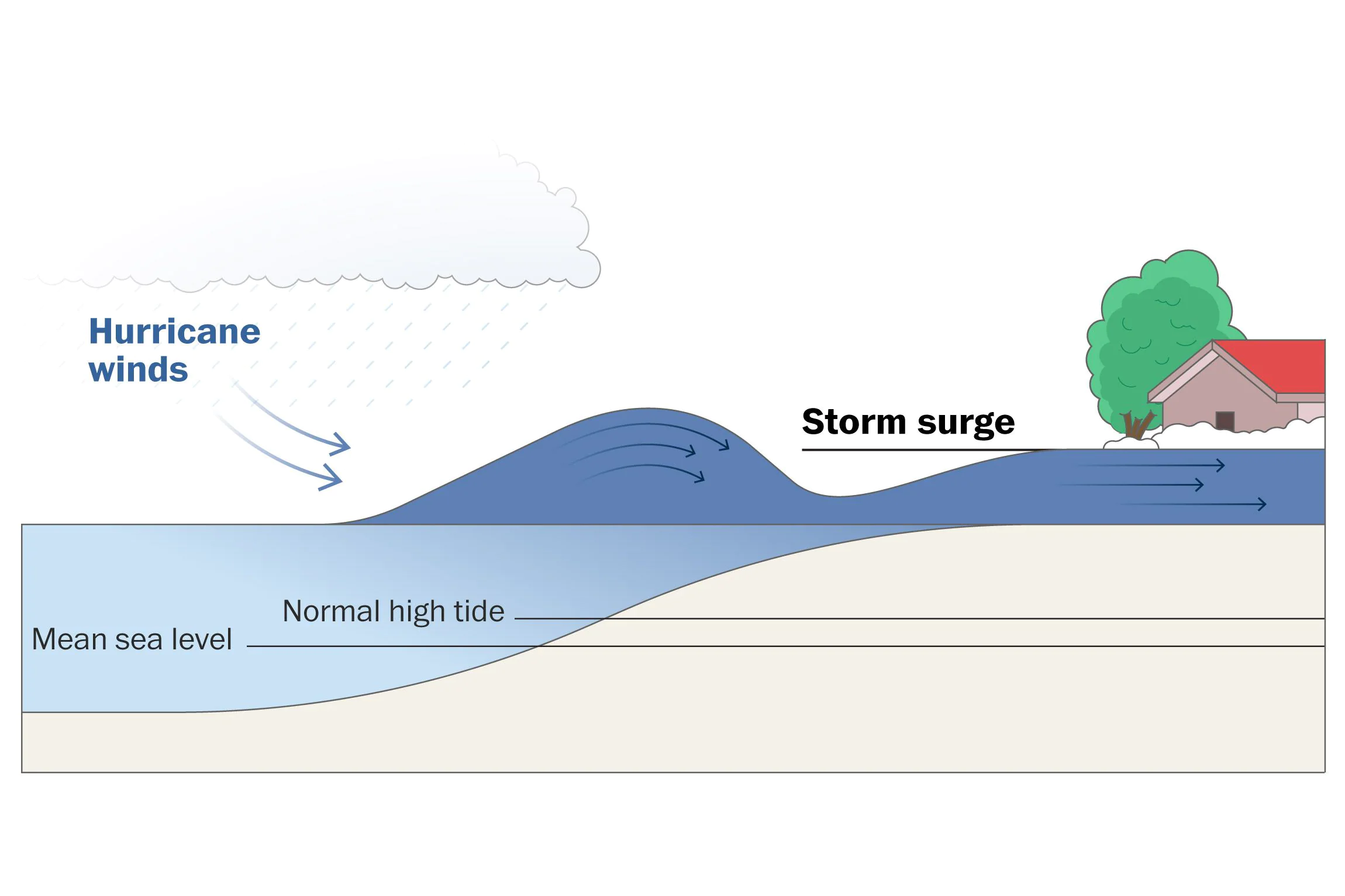
Basically, a storm surge is an abnormal rise in sea level that is caused by the strong winds and low pressure which are associated with a hurricane.
This rise in water level — which can be anywhere from a few feet up to as much as perhaps 30+ feet in the severest of storms — can lead to major coastal flooding, particularly in low-lying areas.
The storm surge is driven by the force of the hurricane’s winds raising and pushing water — like a giant, powerful wall of water — towards the shore, in conjunction with the storm’s low pressure, which allows the water level to rise higher than normal.
But that is not all. The height of that wall of water includes not only the storm surge itself, but the regular tide level as well.
For example, let’s say that at the time a hurricane makes landfall in a particular area, there is a very high tide in progress, or what is known as a spring tide. Even worse is a king tide which is higher than a spring tide.
If the king tide is 2.5 feet in height, and the storm surge is 20 feet in height, that means that when that powerful wave crashes ashore, it will be 22.5 feet in total height. Wow!
My friends, not only is there unimaginable force behind a storm surge, but they move very fast, typically 10-30 miles an hour, depending on the forward speed of the hurricane itself.
A storm surge is one of the most dangerous and deadly aspects of a hurricane, and is often responsible for widespread destruction and loss of life in a coastal area.
Here on Guam, I have witnessed firsthand the results of a powerful storm surge rushing ashore. The level of destruction is absolutely mind-boggling, as if you are in a war zone. Everything is uprooted and just gone down to the bare rock strata! Nothing is left!
Now, to be clear, the destruction that some people are describing at those higher elevations is NOT the result of an oceanic storm surge, because a storm surge can only penetrate inland a few miles at best depending on the topography of the land, the size, strength and speed of the hurricane itself, etc.
The destruction at those higher elevations results from a different set of factors including the following:
1. Wind speed
2. Amount of rainfall
3. Topography of the land
4. Flash floods
5. Rivers, lakes, etc. overflowing their regular boundaries.
For example, even though you live in a town or city that is at a higher elevation and miles away from the ocean, if that town or city is in turn surrounded by even higher hills or mountains — kind of like a bowl — it is going to be in serious trouble!
Now, if that same town or city is also located near a body of water, or even near multiple bodies of water — such as a confluence of rivers — that town or city is going to be in even worse trouble, not just from the excessive wind speed, but from all of that excessive rainfall filling up those lakes and rivers.
But that is not all. You’ve also got flash floods rushing down hills and mountains at tremendous speeds.
Lastly, there are landslides to boot, washed out roads, etc.
My friends, that is exactly what happened at places such as Asheville, N.C. It had nothing to do with the oceanic storm surge many miles away which could not possibly reach those elevations.
I hope this explanation clears things up for some of you.
“[To the chief Musician, A Psalm of David.] The fool hath said in his heart, There is no God. They are corrupt, they have done abominable works, there is none that doeth good.” Psalm 14:1, KJV
“But the natural man receiveth not the things of the Spirit of God: for they are foolishness unto him: neither can he know them, because they are spiritually discerned.” 1 Corinthians 2:14, KJV
“He that is of God heareth God’s words: ye therefore hear them not, because ye are not of God.” John 8:47, KJV
“Give not that which is holy unto the dogs, neither cast ye your pearls before swine, lest they trample them under their feet, and turn again and rend you.” Matthew 7:6, KJV
“Knowing this first, that there shall come in the last days scoffers, walking after their own lusts, And saying, Where is the promise of his coming? for since the fathers fell asleep, all things continue as they were from the beginning of the creation.” 2 Peter 3:3-4, KJV
“For as many as are led by the Spirit of God, they are the sons of God.” Romans 8:14, KJV
“My sheep hear my voice, and I know them, and they follow me:” John 10:27, KJV
“Enter ye in at the strait gate: for wide is the gate, and broad is the way, that leadeth to destruction, and many there be which go in thereat: Because strait is the gate, and narrow is the way, which leadeth unto life, and few there be that find it.” Matthew 7:13-14, KJV
“For many are called, but few are chosen.” Matthew 22:14, KJV
“For ye see your calling, brethren, how that not many wise men after the flesh, not many mighty, not many noble, are called: But God hath chosen the foolish things of the world to confound the wise; and God hath chosen the weak things of the world to confound the things which are mighty; And base things of the world, and things which are despised, hath God chosen, yea, and things which are not, to bring to nought things that are: That no flesh should glory in his presence.” 1 Corinthians 1:26-29, KJV